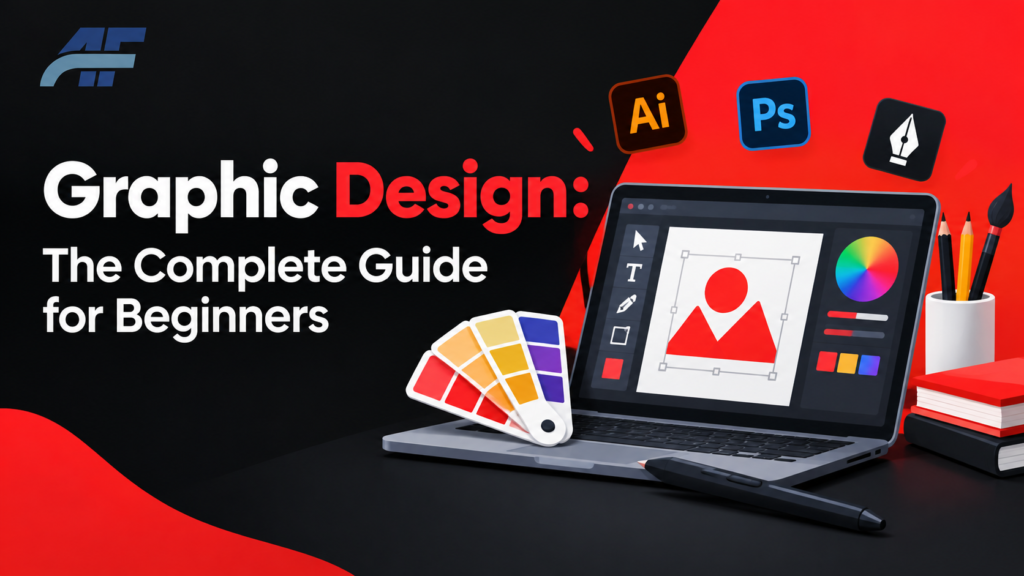
Graphic Design: The Complete Guide for Beginners
Graphic design is everywhere. You see it on the app icons on your phone, the labels on your food, and the ads that pop up while you scroll. But most people never learn how it actually works or how to get started with it.
This guide explains graphic design in simple words. You will learn what it is, why it matters, and how to start learning it for free. You will also see real data on graphic designer salary, so you know what to expect if you turn this skill into a career.
This guide is for beginners. You do not need any past design experience to follow it.
Quick Answer
Graphic design is the practice of using images, text, color, and layout to communicate a message. Designers use these tools to create logos, websites, ads, packaging, and more. You can start learning graphic design for free using tools like Canva, GIMP, and Photopea, along with free online classes from places like Canva Design School and Coursera.
What Is Graphic Design?
Graphic design is the art of arranging text, images, and shapes to send a clear message. A designer picks colors, fonts, and layouts that work together. The goal is always the same: to make information easy to understand and pleasant to look at.
Think of a road sign. It uses simple shapes, bold colors, and clear text so a driver can understand it in one second. That is graphic design in action.
Graphic design is not just about making things look nice. It is about solving a problem. A good logo tells people what a brand stands for. A good poster makes people stop and read it. A good app screen helps a user find what they need without getting confused.
Why Graphic Design Matters
Design shapes how people feel about a brand or a message before they read a single word. A messy flyer feels untrustworthy. A clean, well-designed one feels professional, even if the two flyers say the exact same thing.
Businesses use graphic design to:
- Build trust with customers
- Stand out from competitors
- Explain complex ideas quickly
- Guide people toward an action, like buying a product or signing up for a service
This is why companies of every size, from local shops to large corporations, invest in design.
[RELATED POST: https://websoftocean.com/category/graphic-design-branding/]
[RELATED POST: https://ahmadflow.com/category/graphic-design-branding/]
Types of Graphic Design
Graphic design is a broad field. Most designers focus on one or two areas. Here are the main types you will come across:
- Brand identity design – logos, color palettes, and fonts that represent a company
- Print design – flyers, brochures, business cards, and packaging
- Web and UI design – the layout and visuals of websites and apps
- Motion graphics – animated visuals used in videos and social media
- Illustration – custom drawings used in books, ads, or products
- Publication design – magazines, books, and newsletters
- Environmental design – signs, murals, and displays in physical spaces
Many designers work across several of these areas, especially early in their careers.
The Building Blocks of Graphic Design
Every design, no matter how simple or complex, is built from the same basic parts. Understanding these will help you look at any design and know why it works or why it does not.
| Element or Principle | What It Means | Why It Matters |
|---|---|---|
| Color | The colors chosen for a design | Sets the mood and grabs attention |
| Typography | The style and size of text | Affects how easy the text is to read |
| Layout | How elements are placed on the page | Guides the eye in the right order |
| Contrast | The difference between light and dark, big and small | Makes important parts stand out |
| Alignment | How elements line up with each other | Makes a design feel neat and organized |
| Balance | How visual weight is spread across a design | Keeps the design from feeling one-sided |
| White space | The empty space around elements | Prevents a design from feeling crowded |
You do not need to memorize these terms. You just need to notice them when you look at good design. Over time, this becomes second nature.
How to Learn Graphic Design for Free
You do not need to spend money to start learning graphic design. There are free tools and free classes that can take you from zero knowledge to a working understanding of design basics.
Free Graphic Design Software
Here are some of the most trusted free design programs available today.
| Tool | Best For | Skill Level |
|---|---|---|
| Canva | Social media posts, flyers, presentations | Beginner |
| GIMP | Photo editing, similar to Photoshop | Beginner to advanced |
| Photopea | Browser-based photo and design editing | Beginner to advanced |
| Inkscape | Logo design and vector graphics | Beginner to advanced |
| Krita | Digital illustration and painting | Beginner to advanced |
Canva is a good starting point because it uses ready-made templates. GIMP, Photopea, and Inkscape give you more control, but they take longer to learn. Try Canva first if you want quick results. Move to the other tools once you want more control over your designs.
Free Online Classes for Graphic Design
You can also learn graphic design online without paying for a course. Some solid free starting points include:
- Canva Design School – free lessons built around Canva’s own tool
- HubSpot Academy – free courses that cover design basics for marketing
- Coursera audit option – many university design courses can be viewed for free when you choose the “audit” option instead of paying for a certificate
- YouTube design channels – many professional designers share free tutorials on layout, color, and typography
Paid classes exist too, and they often include feedback, structure, and certificates. But if you are just testing whether design is for you, the free options above are enough to get started.
Step-by-Step: How to Start Learning Graphic Design
- Pick one free tool and stick with it. Do not try to learn five tools at once. Start with Canva or Photopea and get comfortable with the basics of that one tool.
- Learn the core principles first. Before making anything fancy, learn color, typography, and layout. These principles apply no matter which tool you use later.
- Copy real designs to practice. Recreate a poster or social media post you like. This teaches you how professionals make decisions, without the pressure of starting from a blank page.
- Take one free online class. Choose a short, focused course instead of a long one. Finishing a short course builds confidence and momentum.
- Build a small portfolio. Save five to ten of your best practice pieces. Even simple work shows growth over time.
- Ask for feedback. Share your work in online design communities. Honest feedback speeds up your learning far more than working alone.
- Decide your next step. After a few months, decide if you want to keep design as a hobby, freelance on the side, or aim for a full design career.
Graphic Designer Salary
If you are thinking about graphic design as a career, salary is a fair question to ask.
According to the U.S. Bureau of Labor Statistics, the median annual wage for graphic designers was $62,960 in May 2025. This means half of graphic designers in the United States earned more than this amount, and half earned less.
Pay varies a lot based on experience and location. The lowest 10 percent of graphic designers earned less than $39,520, while the highest 10 percent earned more than $104,910.
A few things that affect graphic designer salary:
- Experience – entry-level designers earn less than senior designers or creative directors
- Location – large cities and tech hubs usually pay more than smaller markets
- Industry – specialized fields like tech or advertising often pay more than general print work
- Specialization – designers who also know web or UI design often earn more than those who only do print design
If you are starting out, it helps to know that salary grows with a strong portfolio and real project experience, not just with certificates.
Skills You Need to Become a Graphic Designer
Beyond knowing a design tool, most working designers rely on a mix of technical and non-technical skills:
- Understanding of color theory and typography
- Comfort with at least one design program
- Basic knowledge of file formats (like PNG, JPG, SVG, and PDF)
- Communication skills to understand what a client or team actually needs
- Ability to take feedback and revise work
- Time management, since most design work comes with deadlines
You do not need every skill on day one. These build naturally as you practice and take on real projects.
Common Mistakes Beginners Make
- Using too many fonts in one design. This makes a design feel messy. Stick to one or two fonts per project.
- Ignoring white space. New designers often try to fill every inch of space. Empty space helps a design breathe and look organized.
- Copying trends without understanding why they work. A trend might look good on one project and completely wrong on another. Learn the reason behind a design choice, not just the choice itself.
- Skipping feedback. Working alone for too long can hide weak spots in your design skills. Feedback speeds up growth.
- Jumping between too many tools. Switching tools constantly slows down learning. Master one before adding another.
Best Practices and Expert Tips
- Keep your designs simple. A cluttered design usually confuses the viewer instead of informing them.
- Always design with your audience in mind, not just your own personal taste.
- Save your work in layers or editable files so you can make changes later without starting over.
- Study real-world examples daily, even if it is just noticing a well-designed ad or package at the store.
- Build a habit of finishing small projects instead of leaving many designs half-done.
Free vs. Paid Design Tools: Which Should You Choose?
| Factor | Free Tools | Paid Tools |
|---|---|---|
| Cost | $0 | Monthly or yearly subscription |
| Best for | Beginners, hobbyists, small budgets | Professionals, agencies, advanced work |
| Features | Covers most basic to mid-level needs | Wider range of advanced features |
| Learning curve | Usually easier | Often steeper, but more powerful |
| Support | Community forums, limited official support | Dedicated customer support |
Decision summary: If you are new to design, start with free tools. They cover almost everything a beginner needs. Move to paid tools only when you hit a real limit in features you cannot work around.
Frequently Asked Questions
What is graphic design in simple words?
Graphic design is the practice of arranging text, images, and colors to communicate a clear message. It is used in logos, websites, ads, and packaging.
Can I learn graphic design for free?
Yes. You can learn graphic design for free using tools like Canva, GIMP, and Photopea, along with free classes from sources like Canva Design School and Coursera’s audit option.
Do I need a degree to become a graphic designer?
No, a degree is not always required. Many designers build careers through self-taught skills and a strong portfolio. However, a degree can help with certain jobs, especially at large companies.
What software do most graphic designers use?
Many professional designers use Adobe programs like Photoshop and Illustrator. Beginners often start with free alternatives like Canva, GIMP, or Photopea before moving to paid software.
How much does a graphic designer make?
The median annual wage for graphic designers in the United States was $62,960 in May 2025, according to the U.S. Bureau of Labor Statistics. Pay can range from under $40,000 to over $100,000 depending on experience and location.
How long does it take to learn graphic design?
Most beginners can learn the basics in a few months of steady practice. Becoming skilled enough for paid client work usually takes six months to two years, depending on how often you practice.
Key Takeaways
- Graphic design is the use of text, images, and layout to communicate a clear message.
- You can start learning graphic design for free with tools like Canva, GIMP, and Photopea.
- Free online classes, such as Canva Design School and Coursera’s audit option, are a solid starting point.
- The median graphic designer salary in the U.S. was $62,960 per year as of May 2025, according to the Bureau of Labor Statistics.
- Practice, feedback, and a small portfolio matter more than expensive tools when you are starting out.