YouTube Shorts Downloader: How to Save Shorts by URL
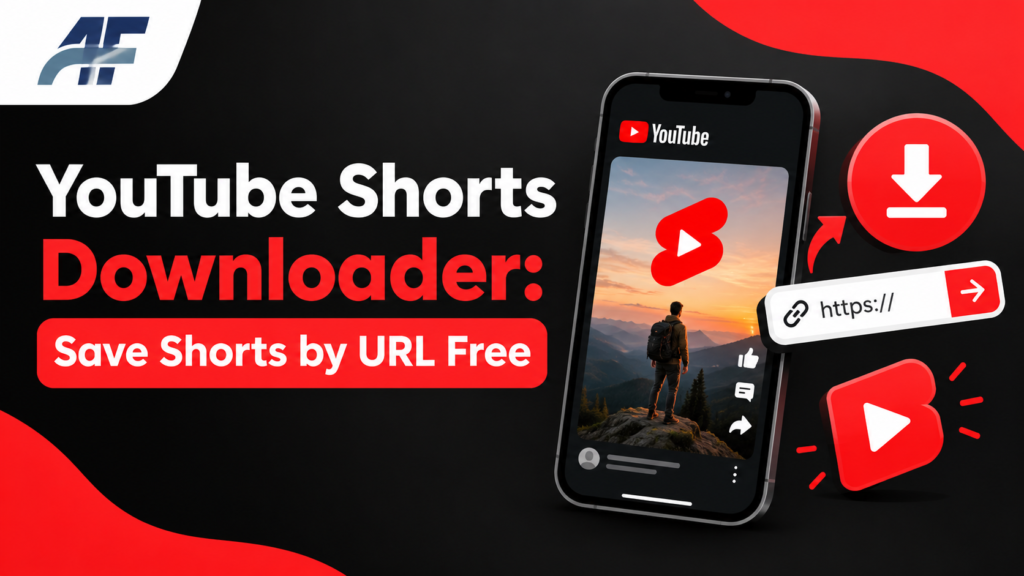
A YouTube Shorts downloader lets you save a short vertical video to your phone or computer. You copy the link, paste it into a tool, and download the file.
This guide shows you how it works, how to do it step by step, and how to stay safe. It also explains what the rules say, so you know when downloading is okay and when it is not. It is written for beginners, so you do not need any tech skills.
Quick Answer: How Do You Download a YouTube Short?
To download a YouTube Short, copy the video link, open an online downloader, paste the link, choose a format such as MP4, and tap the download button. Only download videos you own or have permission to save.
What Is a YouTube Shorts Downloader?
A YouTube Shorts downloader is a tool that takes a Short’s web address and gives you a video file you can keep on your device. Most of these tools run in your browser, so you do not need to install anything. That is why people call them an online downloader.
The tool reads the link, finds the video, and offers a file to save. Most tools offer MP4 for video. Some also offer MP3 for audio only.
Why Shorts Are Different From Regular Videos
Shorts are vertical videos. They use a tall screen shape, often called 9:16. Creators can make them up to 3 minutes long. A regular YouTube video is usually wide and can be much longer.
The way you download them is almost the same. The link looks a little different, and that matters in the steps below.
What Does a Shorts URL Look Like?
A Shorts link usually looks like this:
youtube.com/shorts/VIDEO_ID
The last part is the video ID. It is a mix of letters and numbers that points to one video.
A regular video link looks like this:
youtube.com/watch?v=VIDEO_ID
Many tools accept both types. If a tool does not accept the Shorts link, you can swap the part before the ID. Change shorts/ to watch?v= and keep the same ID. The same video will usually open as a regular page, and the tool can often read it.
How to Download YouTube Videos by URL (Step by Step)
This process works the same way on a phone, tablet, or computer.
- Open the Short. Find the video in the YouTube app or on the YouTube website.
- Copy the link. Tap Share, then tap Copy link. On a computer, copy the address from the browser bar.
- Open the downloader. Go to the online downloader in your browser.
- Paste the link. Click the input box and paste the URL.
- Choose a format. Pick MP4 for video. Pick a quality if the tool gives you a choice.
- Start the download. Tap the download button. You may need to wait a few seconds.
- Check the file. Open your Downloads folder or your phone’s Files or Gallery app and play the video.
Common mistake: Many people tap a pop-up ad instead of the real download button. Look closely at the page. The real button is usually near the video preview and matches the format you picked.
Which Format Should You Choose?
The right format depends on what you plan to do with the file.
| Format | What You Get | Best For |
|---|---|---|
| MP4 | Video with sound | Watching offline, sharing with friends |
| MP3 | Audio only | Saving a sound or a spoken clip |
| Higher quality MP4 | Sharper video, larger file | Big screens |
| Lower quality MP4 | Smaller file | Saving phone storage |
Shorts are short, so the files are small. In most cases, you can pick the highest quality without a storage problem.
Is It Legal to Download YouTube Shorts?
It depends on what you download and what you do with it. This section is general information, not legal advice.
YouTube’s Terms of Service say you should not download content unless YouTube gives you a way to do it or you have permission from the owner. Most videos on YouTube are protected by copyright. That means the creator or another owner holds the rights.
Here is a simple way to think about it:
- Your own Shorts: Downloading your own videos is fine. Creators can also download their uploads from YouTube Studio.
- Videos with permission: If the creator says you can save or reuse it, you are fine.
- Other people’s Shorts: Saving them with a third-party tool can break YouTube’s rules. Posting them again on another account can also break copyright law.
You can read the rules yourself on the YouTube Terms of Service page and in the YouTube Help Center.
Official Ways to Save a Short
YouTube has its own options, and these are the safest choices.
- Download button in the app. For some Shorts, the YouTube app shows a Download option. Creators control whether it is available, and it may not appear on every video.
- YouTube Premium. Premium subscribers can save videos for offline viewing inside the YouTube app. You can watch them without internet, but you cannot move the file out of the app.
- YouTube Studio. If you made the Short, you can download the original file from your own channel.
- Save to a playlist. This does not download the file, but it lets you find the video again fast.
If you only want to watch a Short later, a playlist or the Save option is often enough.
How to Pick a Safe Online Downloader
Some downloader sites are fine. Others are full of pop-ups or bad files. Here is what to check before you trust one.
- The site uses HTTPS. Look for the lock icon in the address bar.
- It does not ask you to install software just to download a short clip.
- It does not ask for your YouTube password. A real downloader only needs a link.
- The file ends in .mp4 or .mp3. Be careful with files that end in .exe, .apk, or .zip.
- The page is not packed with fake alerts like “Your phone is infected.”
- It does not ask you to turn on notifications before it works.
If anything feels wrong, close the tab. Do not open the file.
Common Problems and Fixes
The Tool Says “Invalid Link”
The link may be cut off or copied wrong. Copy it again from the Share menu. Make sure the full address is in the box with no spaces.
The Video Will Not Download
The video may be private, age restricted, or removed. A downloader cannot reach videos that need a sign-in. Try a different public Short to test if the tool works.
There Is No Sound
Check that you picked a format with audio. Some tools list video-only files at certain qualities. Pick a format marked MP4 with sound.
The File Will Not Play on a Phone
Try a different video player app. Also check that the download finished. A very small file size often means it stopped early.
The Download Goes to an Unknown Folder
On iPhone, check the Files app under Downloads. On Android, open the Files or Downloads app. On a computer, check your browser’s Downloads folder.
Downloading on Different Devices
On an iPhone
Use Safari. Copy the link, paste it into the downloader, and tap Download. Safari will ask if you want to save the file. Then open the Files app to find it.
On an Android Phone
Use Chrome. The file usually goes to your Downloads folder. You can open it from the Files app or the Gallery.
On a Windows or Mac Computer
Use any modern browser. Your browser will save the file to the Downloads folder unless you set a different one.
Pros and Cons of Using an Online Downloader
Pros
- It is free on most sites.
- It works in a browser, so there is nothing to install.
- It works on phones and computers.
- It is fast for short clips.
Cons
- It may break YouTube’s Terms of Service for videos you do not own.
- Ads and pop-ups can be risky.
- Quality choices vary from tool to tool.
- Videos that are private or restricted will not work.
Common Mistakes to Avoid
- Re-uploading someone’s Short as your own. This can lead to a copyright strike and a removed video.
- Clicking the wrong button. Ads often look like download buttons.
- Installing a “downloader app” from an unknown site. This is a common way malware spreads.
- Ignoring credit. If you have permission to share a video, name the creator.
Practical Tips
- Save a Short as MP4 if you want to watch it on any device.
- Keep the original link in a note. It helps you give credit later.
- Run your phone’s built-in security scan if a download feels strange.
- Delete files you no longer need. They add up.
[RELATED POST: https://ahmadflow.com/category/content-creation/]
Frequently Asked Questions
Can I download a YouTube Short without an app?
Yes. Most online downloaders work in a browser. You paste the link, pick a format, and download the file.
Is a YouTube Shorts downloader free?
Many are free. Some limit quality or add ads. YouTube Premium is a paid option for offline viewing inside the YouTube app.
How do I download a Short on my iPhone?
Copy the Short’s link, open a downloader in Safari, paste the link, and tap Download. Then find the file in the Files app.
Can I download only the audio from a Short?
Some tools offer MP3. Only save audio you own or have permission to use. Music in Shorts is often protected by copyright.
Does YouTube tell the creator when I download their Short?
Third-party tools do not send a notice to the creator. The creator may still see views, but a downloader link does not identify you.
Why does the downloader not work with some Shorts?
The video may be private, deleted, age restricted, or blocked in your region. A tool cannot save what it cannot reach.
Can I post a downloaded Short on another platform?
Only with permission from the owner. Posting someone else’s video without permission can lead to takedowns or copyright claims.
Is it safe to use an online downloader?
It can be, but safety depends on the site. Use HTTPS sites, avoid installing software, and never enter your account password.
Final Thoughts
A YouTube Shorts downloader is simple to use. You copy the link, paste it, pick a format, and save the file. The harder part is knowing the rules. Download your own videos or videos you have permission to use, and avoid sites that push you to install software or click ads.