Introduction
Most people throw around “UI UX design“ like it’s one job, one skill, one thing to learn. It’s not, and that mix-up is why so many beginners feel stuck before they even start.
You’ve probably read a few blog posts or watched a YouTube video that used the terms interchangeably. That’s part of the problem. It leaves you with a fuzzy idea instead of a clear one.
This article breaks down what UI UX design actually covers, how the two parts connect, and what to do next if you want to learn it properly. No jargon, no fluff, just a clear picture.
A Brief Response
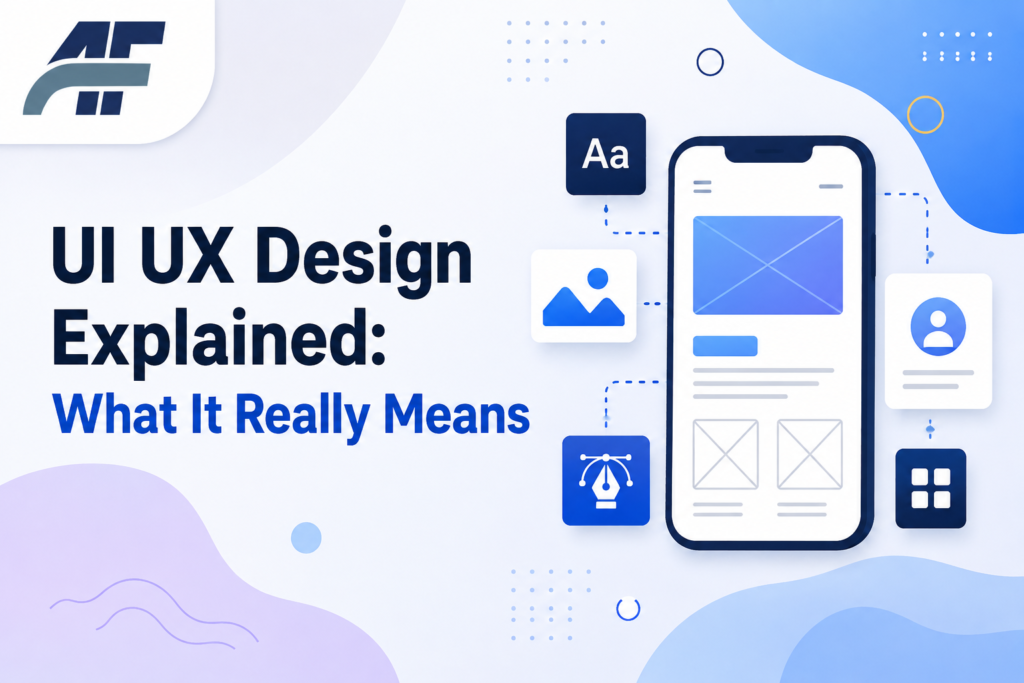
In a nutshell, UI/UX design encompasses two related but distinct tasks. A product’s UI (user interface) determines how you interact with it and how it appears. User experience, or UX, refers to how the entire process feels and if it resolves the user’s issue. To learn both, begin with the principles of basic layout design and user research, then practice on actual projects.
What Is UI UX Design, Really
Why It Happens
Because the two disciplines typically collaborate on a single project, “UI UX design” is often used interchangeably. Because of their proximity, it might be difficult to distinguish between them, particularly for novices looking for “what is ui ux.”
The Fix
- Separate the two roles in your head. UI design is about buttons, colors, fonts, spacing, and how a screen looks. UX design is about the full journey: what the user needs, how they move through the product, and whether it actually works for them.
- Think of UX as the blueprint and UI as the paint job. A great-looking screen with a confusing flow is bad UX with good UI. A clear flow with ugly buttons is good UX with bad UI. You want both.
- Notice where they overlap. Wireframes, prototypes, and usability testing often involve both skill sets working side by side.
Result
Once you split the terms apart, the whole field stops feeling like one giant blob. You can see exactly which skills belong to which job, and where you might want to start learning.
[RELATED POST: https://ahmadflow.com/]
UI vs UX: What’s Actually Different
Why It Happens
“UI UX designer” is frequently used as a single title in job postings and course names, leading people to believe that the two fields have a single skill set and study path.
The Fix
Here’s a direct comparison to keep the two straight:
| Area | UI Design | UX Design |
|---|---|---|
| Focus | Visual layout and interaction | Overall experience and flow |
| Main tools | Figma, Sketch, Adobe XD | User research, wireframes, testing |
| Key question | Does it look and feel right? | Does it work and make sense? |
| Output | Screens, icons, color systems | Personas, user flows, journey maps |
Result
You’ll know which part of a job posting or ui ux online course actually matches what you want to learn, instead of guessing based on the title alone.
Common Mistakes: Assuming a “UI UX design” course teaches both equally. Many lean heavily toward one side, usually UI, so check the syllabus before enrolling.
Why a Product Can Look Great and Still Feel Broken
Why It Happens
The most obvious indication of a UI and UX gap is this. Even with a well-designed interface, attractive fonts, and crisp colors, a product may nonetheless irritate customers since the underlying flow doesn’t reflect how people truly think or behave.
The Fix
- Map the user’s actual goal. Before touching any visual design, write down what the user is trying to accomplish in that screen or flow.
- Test the flow with real people, not just your team. Watch where they hesitate or click the wrong thing. That hesitation is the UX problem, and no amount of visual polish fixes it.
- Fix the structure first, then the style. Reorder steps, remove unnecessary fields, and simplify choices before you touch colors or icons.
Result
The product stops feeling like a maze with nice wallpaper. Users complete their task faster, and support complaints about confusing screens usually drop.
Pro Tip: If users keep asking the same question about how to do something, that’s a UX gap, not a support documentation gap.
How to Learn UI UX Design From Scratch
Why It Happens
Many novices dive right into design tools without understanding the underlying principles. This is the most frequent cause of early stalling and results in esthetically pleasing interfaces that don’t truly address user issues.
The Fix
- Start with user experience design fundamentals. Learn how to do basic user research, write user personas, and map user flows before opening any design tool.
- Pick one design tool and learn it properly. Figma is the most common choice right now for both UI and UX work.
- Take a structured ui ux online course. Look for one that includes real projects, not just video lectures, so you build a portfolio while you learn.
- Practice by redesigning real apps. Pick an app you use daily, find a weak spot in its flow, and redesign it as a case study.
Result
You end up with practical skills and real project examples, not just theory you can’t apply.
How to Build a UI UX Portfolio That Actually Gets Noticed
Why It Happens
Many novice portfolios merely display the finished screens without providing an explanation of the reasoning behind them. A portfolio without that context is quickly overlooked by hiring managers, who are more interested in your process than your end images.
The Fix
- Pick 3 to 4 strong projects instead of 10 weak ones. Quality beats quantity every time in a portfolio review.
- Show your process, not just the result. Include research notes, early sketches, wireframes, and the reasoning behind key decisions.
- Explain the problem you solved. Start each case study with the actual user problem, then walk through how your design solved it.
- Add a short case study summary at the top of each project. Busy reviewers often only read the first few lines.
Result
Your portfolio starts showing how you think, not just what you can draw. That’s what separates a hire from a pass.
FAQ
What is UI UX design?
UI UX design covers two connected disciplines. UI (user interface) design handles how a product looks and how users interact with its visual elements. UX (user experience) design handles the full journey, including research, flow, and whether the product actually solves the user’s problem.
What does UI UX meaning actually cover in a job title?
When a job title says “UI UX designer,” it usually means the role touches both visual design and experience design, though the exact split varies by company. Some roles lean heavily UI, others lean UX. Always check the actual job description, not just the title.
How long does it take to learn ui and ux?
Most beginners reach a job-ready level in 6 to 12 months with consistent practice, though this depends on prior design or research experience. A structured course with real projects usually speeds this up compared to random tutorials without a clear path.
Is a ui ux online course worth it?
Yes, if it includes real projects and feedback, not just video lectures. A good course gives you structure, deadlines, and a clear learning order, which is exactly what most self-taught beginners struggle to build on their own.
Do I need to know how to code for UX design?
No, coding isn’t required for most UX design roles. Basic knowledge of how websites and apps are built helps you communicate with developers, but the core UX skills are research, flow mapping, and usability testing, not programming.
What’s the difference between user experience design and product design?
Product design is a broader role that often includes UX, UI, and sometimes business strategy. User experience design focuses specifically on the research and flow side. Titles vary by company, so the actual responsibilities matter more than the label.
In conclusion
The fundamental reason UI/UX design feels overwhelming is that the two phrases are combined without further explanation. The way forward becomes much apparent once you separate them.
Learn the distinction between UI and UX first, then utilize flow mapping and actual user research to lay the groundwork before utilizing visual tools. If you want a quicker, more dependable route, choose an organized course and create a portfolio that demonstrates your thoughts rather than simply your skills.
The industry honors those who comprehend a design’s “why” rather than merely “how it looks.” Today, choose a modest project, identify the user’s real issue, and get started. Real UI/UX design talent is developed in this way.